
Over Easy
Do Digital Asset Management Systems Need a Database?
The database isn’t just part of your DAM system. It IS your DAM system.
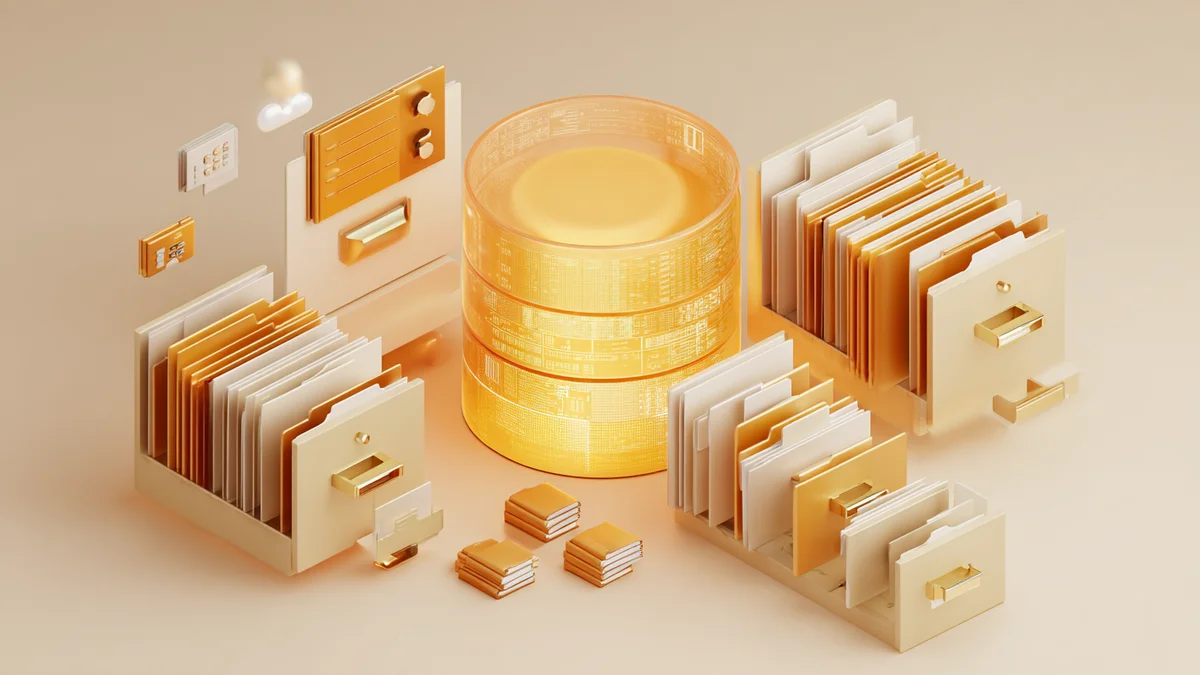
You might think a digital asset management system is just a smarter version of your file folders. A place to dump logos, photos, and documents so they’re slightly less chaotic. But strip away the interface, the search bar, the preview thumbnails, and what’s left? A database. Without one, you don’t have asset management. You have a filing cabinet with no labels.
What’s on the Plate
A digital asset management system (DAM) is a tool that stores, organizes, and helps you find your digital files. That means logos, product photos, marketing collateral, videos, brand guidelines, and every other file your business creates or collects — the asset library that keeps your brand consistency intact across every channel.
Do digital asset management systems need a database? Yes. Every single one. The database is what transforms a collection of scattered files into a system you can actually search, filter, and control. Without it, a DAM is just another folder on a slightly fancier hard drive.
In this article, you’ll learn what the database actually does inside a DAM system, why it matters for your business, and how to figure out whether your current setup is missing this critical piece.
Cracking It Open
Think of it like a library. You could pile every book in a building and technically call it a library. But without a card catalog telling you where each book is, who wrote it, and what subject it covers, finding anything takes luck instead of seconds.
A digital asset database serves that same role. It stores metadata about every file: what it is, when it was created, who made it, what project it belongs to, what usage rights are attached, and which version is current. That metadata management is what makes searching possible.
The database handles three core jobs. First, indexing. It catalogs every asset so you can find files by keyword, date, file type, or any tag you’ve applied — the advanced search capability that turns a folder full of files into a proper asset library. Second, relationships. It connects assets to each other, so a product photo links to its retouched version, its usage license, and the campaign it belongs to. Third, permissions and version control. It controls who can view, download, or edit each file, and which version is the current source of truth.
Without these three functions, your team is back to scrolling through folders named “Assets_2024_FINAL_v2” and hoping for the best.
Why You’re Eating This
Here’s what this actually means for your business. Teams without a database-backed DAM can waste significant time each week just searching for files. That’s not a productivity stat from a software vendor trying to sell you something. That’s the reality of digging through nested folders, Slack threads, and email attachments to find the right version of a logo — and it’s the exact opposite of the brand consistency your customers expect.
The consequences go beyond wasted time. Without a digital asset database tracking versions, someone sends the old logo to the printer. Without metadata management covering usage rights, someone posts a stock photo after its license expired. Without access controls, a freelancer downloads and keeps files they shouldn’t have.
If you’ve ever searched “final_FINAL_v3” in your file system, you already know the problem. The database — and proper version control — is the fix.
Low Heat, Slow Cook
You don’t need to become a database engineer. But understanding the basics helps you evaluate DAM tools without getting lost in sales pitches.
Most digital asset management databases fall into two categories. Relational databases (SQL) work like a strict spreadsheet. Every column is defined, every row follows the same structure. They’re excellent for consistency and complex queries. Think of it like a spreadsheet where every column is rigidly defined and enforced.
Document-based databases (NoSQL) are more flexible. Each record can have a different structure, which makes them better for handling diverse asset types. In plain terms: imagine a notebook where each page can have a completely different layout, and that’s fine.
Many modern DAM systems use hybrid approaches, combining the structure of SQL with the flexibility of NoSQL. What matters for you isn’t which type a tool uses. What matters is that it has one at all — and that it can power the advanced search your team will actually use.
“Can I just use Google Sheets as my database?” Technically, for very small collections, a spreadsheet can track basic metadata. But once you pass about 500 assets or add a second team member who needs access, spreadsheets break down. They can’t handle file relationships, version control, or granular permissions. A spreadsheet tracks information about assets. A database manages them.
Your First Flip
Try this now: take ten minutes and run a quick audit of your current situation. You don’t need fancy tools. Just honest answers to three questions.
First, count your assets. Open every location where your files live (Google Drive, Dropbox, local drives, email attachments) and estimate the total. You don’t need an exact number. A rough count within a hundred is fine.
Second, identify your search patterns. When you look for a file, how do you search? By date? By project name? By client? By file type? Write down the three to five most common ways you look for things. These become your core metadata fields.
Third, map your access needs. Who touches your files? Internal team, freelancers, clients, vendors? What should each group be allowed to do: view only, download, edit, delete?
Here’s the simple framework. If you have more than 500 assets, or more than three people accessing files, or files spread across two or more storage locations, you need a database-backed DAM. Hit even one of those thresholds and you’ve outgrown the folder-and-spreadsheet approach.
Don’t Break the Yolk
The most common mistake is picking a DAM tool based on its interface without understanding the database underneath. A beautiful drag-and-drop interface means nothing if the system can’t handle advanced search or track file relationships.
Second mistake: migrating files into a new system without a metadata plan. Moving 5,000 untagged files into a DAM gives you 5,000 untagged files in a slightly different location. Plan your taxonomy first, even if it starts with just five to ten metadata fields.
Third mistake: over-engineering from day one. You don’t need 50 metadata categories before you launch. Start with the basics (file type, project, date, status, owner) and expand as patterns emerge from actual usage.
Watch out for free or ultra-cheap tools that skip the database layer entirely. They work fine for 100 files. At 1,000 files, they slow down. At 5,000, they become the problem you were trying to solve.
Get It To-Go
The database is the foundation of every digital asset management system. Not a feature. Not an add-on. The foundation. It’s what makes search work, what keeps versions straight, what controls who sees what — the asset library that keeps your business running.
If your current system doesn’t have a proper database behind it, you’re managing files by memory and hope. That works until it doesn’t, and when it fails, it usually fails at the worst possible moment.
Building this kind of foundation — the database structure, the metadata management framework, the access controls — is exactly what we do at Ai Omelette. We set up DAM systems for small businesses that actually work, without the enterprise price tag.
Book a free discovery call and let’s figure out what your assets actually need.
Keep Reading
- The Complete DAM Implementation Guide — Step-by-step walkthrough for setting up your first digital asset management system.
- How to Organize Your Digital Assets — Practical strategies for building a file structure that scales with your business.
- Over Easy — More beginner-friendly guides to business technology and automation.